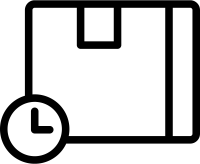
Cardboard Box and Clock (Scheduled Delivery / Shipping) Free Icons | Vector Assets
Sponsored Link
(PNG)
Eliminating the Anxiety of “When Will it Arrive?”, “Delivery Date & Time Specification” Free Material
This design combines the silhouette of a packed cardboard box with an analog clock icon. By combining the two elements of “package (box)” and “time (clock),” it intuitively conveys “the time the package will arrive” and “the time it takes for delivery.” It is an absolutely essential icon in the interfaces for “Date and Time Specification” and “Speed Delivery,” which heavily influence the usability of an EC site.
Specific Usage Scenes and Suggested Applications
This icon is important in all scenes involving time and logistics, from input forms for purchase procedures to introduction pages for delivery services.
- For the “Date and Time Specification” UI on the Cart Screen and Purchase Form of an EC Site: It is ideal as a select box for choosing the “Desired Delivery Date and Time” before confirming an order, or as a calendar icon. Rather than just writing “Desired Delivery Time” in text, adding this icon allows users to instantly recognize “I can decide the receiving time here,” providing a smooth purchasing experience. It is also effective as decoration for radio buttons for time slot selection like “Morning” or “14:00-16:00.”
- For “Speed Appeals” of Expedited Shipping and Same-Day Shipping Services: As an eye-catcher on banners appealing speed delivery services like “Same-day shipping for orders by 13:00” or “Next day delivery.” Because the clock icon evokes “time constraints” and “speed,” it can visually emphasize the benefit of “arriving early” to the user, leading to a decisive purchase (conversion).
- For the “Change Time” Button of Redelivery Reception and Absence Notifications: As an icon for the button to “Change desired time” on the redelivery reception page accessed from the QR code on an absence notice. Since users can intuitively understand the service content of “Having the box delivered at a time convenient for me,” it reduces the stress of the procedure.
- For Displaying “Lead Time” in Logistics and Inventory Management Systems: As an icon indicating the number of days it takes from order to delivery (lead time). By placing it next to text like “Days until shipping: X days,” it makes it easier for managers and orderers to grasp the schedule. It can also be applied as a mark for “Delivery Date Management” in factory production management systems.
- For Images of “Freshness & Expiration Dates” in Food Delivery and Online Supermarkets: As an icon appealing freshness (time management) like “Morning-harvested vegetables delivered the same day” on sites handling fresh food. The combination of a box and a clock is also suitable as a reminder icon notifying the “expiration date” or “storage period” of disaster prevention goods and emergency food.
Editing Tips and the Merits of the EPS Format
The distribution files include PNG and SVG formats convenient for web production, as well as the EPS format of vector data suitable for DTP design and advanced editing.
By utilizing the EPS format (vector data), you can freely control “time” according to the characteristics of your service. Using software like Adobe Illustrator, you can rotate the minute and hour hands of the clock to display the exact time matching the service’s deadline time (e.g., 12:00 noon) or delivery time slot (e.g., 19:00 at night). This allows you to create different icons (morning, noon, night) for each time slot option, dramatically improving the clarity of the UI.
Color changes are also effective. If you want to convey urgency, you can make the clock “red” for an “Expedited Shipping” icon, or if you want to convey environmental consideration (consolidated delivery), you can make it “green” for an “Eco Delivery” icon, allowing for control of the message through color. Furthermore, you can thicken the clock frame to emphasize it, or conversely make the clock translucent and place it behind the box, allowing for fine adjustments at will to match the tone and manner of the design.
Related Keywords
Cardboard box, Box, Clock, Time, Delivery, Date and time specified, Time specified, Delivery, Expedited shipping, Same-day shipping, Redelivery, Lead time, Delivery date, Logistics, Online shopping, Icon, Delivery time, Scheduled delivery, Shipping box, Logistics, Clock
This Cardboard Box and Clock (Scheduled Delivery / Shipping) icon is free to use. Commercial use allowed; no attribution or registration required. Please be sure to check the Terms of Use before using.
Sister Site: Check out our Free Hand-Drawn Illustrations as well.