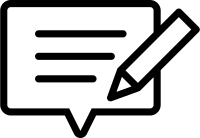
Speech Bubble and Pen (Writing / Editing) Free Icons | Vector Assets
Sponsored Link
(PNG)
Giving Shape to User Voices, “Review / Post” Free Material
A design featuring a speech bubble containing text accompanied by a pen (fountain pen or ballpoint pen). Because it strongly carries the nuance of “recording as text” or “writing down an opinion” rather than oral conversation, it is widely used as a symbol to prompt actions where users input text, such as “posting a review” or “editing an article” on a website.
Specific Usage Scenes and Suggested Applications
This icon is active in all situations involving text input, from review sections on EC sites to edit buttons on internal systems.
- For “Write a Review” Buttons on EC Sites and Gourmet Sites
Ideal as an icon for buttons soliciting evaluations (reviews) for products or restaurants. By adding an illustration of a pen and speech bubble rather than just writing “Post,” the message “Please write your opinion” is visually conveyed, which has the effect of increasing the user’s motivation to post. - For “Edit / Modify” Icons on Blogs, SNS, and Bulletin Boards
As an “Edit” button to modify already posted articles or comments. Compared to just a pencil or pen icon, being paired with a speech bubble (content) makes it more intuitively understandable that “it is a function to rewrite the contents.” - For the Image of “Inputting Answers” in Questionnaire Forms and Suggestion Boxes
As an eye-catch image for questionnaires with free-text fields or “Opinions & Requests” corners seeking feedback on services. It symbolizes users spelling out their own words and is a design that encourages the collection of qualitative data. - For Expressions of “Writing / Authorship” on Owned Media and Blogs
As an image material representing the creation of articles (writing work) in content such as “How to Write a Blog Course” or “Writer Recruitment.” It is also easy to use as an illustration for articles explaining content marketing or SEO strategies. - For “Create New” Buttons in Notepad and Task Management Apps
As an icon for the “New Note” button when adding a new note or registering a task. It has also become established as an icon meaning “recording” digitally rather than on paper notebooks.
Editing Tips and the Merits of the EPS Format
The distribution files include PNG and SVG formats convenient for web production, as well as the EPS format of vector data suitable for DTP design and advanced editing.
By utilizing the EPS format (vector data), you can customize the details to match the tone and manner of the site. Using software like Adobe Illustrator, you can change the color of the pen to “red” for a “Grading / Proofreading” image, or delete the three lines inside the speech bubble to express a state of “about to write (blank).”
It is also recommended to redraw the type of pen. Changing the default pen nib to a “quill pen” gives a literary and classic impression, while changing it to a “cursor” gives a more digital impression. Breaking it down into separate parts for the speech bubble and pen, and using just the pen as a “signature icon” is also a possible application.
Related Keywords
Speech bubble, Pen, Write, Description, Edit, Post, Review, Word of mouth, Questionnaire, Feedback, Blog, Writing, Modification, Memo, Icon, Speech bubble, Pen, Writing, Editing, Review, Feedback
This Speech Bubble and Pen (Writing / Editing) icon is free to use. Commercial use allowed; no attribution or registration required. Please be sure to check the Terms of Use before using.
Sister Site: Check out our Free Hand-Drawn Illustrations as well.