Sponsored Link
(PNG)
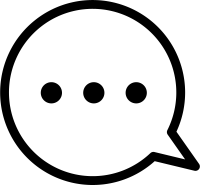
Conveying Silence and Thought, “Unspoken Nuance” Free Material
An icon where “…” (ellipsis) is placed instead of words inside a rounded speech bubble. The absence of specific text expresses “pauses” and “atmospheres” that cannot be put into direct words, such as “thinking about what to say,” “being at a loss for words,” or “quietly waiting.” It is a simple yet profound symbol that stirs the viewer’s imagination.
Specific Usage Scenes and Suggested Applications
This icon is active in scenes that make you feel various “continuations” and “pauses,” from depicting a character’s emotional state to omission symbols in UI design.
- For “Conversation / Worry” Scenes on Blogs and SNS
It is ideal for depicting scenes of “perplexity” where a speaker is stuck for an answer or hesitating to say something in conversational articles between characters or manga-like expressions. Rather than inserting specific dialogue (text), expressing it solely with the symbol “…” makes it easier to convey to the reader the subtle psychological depiction of “I want to say it but I can’t” or the humor of surreal “silence.” By placing it as an illustration for an “everyday occurrence” where you want to seek empathy from the reader, or when adding a punchline to the development of an article, it gives depth and friendliness to the content. - For “Thinking / Typing” Displays in Chatbots and Apps
It can be utilized as a “loading” icon while an AI or system is generating an answer to a user’s question. Because a round shape feels more “human” and “soft” than a square speech bubble, it has the effect of reducing the stress of impersonal waiting times. By visually conveying the personified message “I am thinking hard,” it functions as “hospitality UI” that fosters user attachment to the system and prevents them from leaving. - For “Omission / Continuation” Buttons on Websites
It can be used as an icon for a “Read More” button that displays only the beginning of a long text and hides the rest. Because an ellipsis is a universally understood symbol indicating that “the sentence still continues,” users intuitively understand that “clicking here will show details.” It is also widely recognized as a standard UI design pattern for a trigger button to open “Other menus” when there are too many menu items to display, without compromising usability. - For “Pending / Under Consideration” Status in Reviews and Word of Mouth
As an icon indicating a state of hesitation about purchasing a product or putting an evaluation on hold. It is useful when you want to visualize gray-zone evaluations like “thinking about it” or “can’t say either way,” rather than just clear black-and-white evaluations like “O (Good)” or “X (Bad).” Adding this icon to the “Prefer not to answer” or “Other” options in a questionnaire prevents users from feeling forced to make a choice, making it easier to collect honest feedback. - For “Raising Issues / Problems” Slides in Presentation Materials
As a visual expressing “current issues” or “harbored frustrations” before presenting a solution. By using this speech bubble in the introduction part of storytelling, like “Customers haven’t realized it yet…,” you can gather the audience’s attention. By using it as an icon symbolizing “latent needs” or “unverbalized dissatisfaction” that have not become clear words, the proposal of the subsequent solution stands out more, making for a persuasive presentation.
Editing Tips and the Merits of the EPS Format
Completely free for both commercial and personal use. In addition to PNG and SVG that can be used immediately on the web, we also provide EPS data that is easy to process to match your design as a set.
By utilizing the EPS format (vector data), you can freely arrange the “dots” inside. Using software like Adobe Illustrator, you can reduce the dots from three to two for a light silence, or conversely increase the dots to express a long silence. You can also make it look like a loading animation expression by changing the color of the dots one by one to apply a “gradient.”
By making the base color of the speech bubble “translucent” to match the background color, or leaving only the outline and making the inside transparent, you can use it as a sophisticated design part that doesn’t feel heavy even when overlaid on a photograph.
Related Keywords
Speech bubble, Round, Ellipsis, Dots, Silence, Thinking, Typing, Worry, Omission, Continuation, Other, Loading, Icon, Speech bubble, Ellipsis, Thinking, Loading, Silence
This Ellipsis Speech Bubble icon is free to use. Commercial use allowed; no attribution or registration required. Please be sure to check the Terms of Use before using.
Sister Site: Check out our Free Hand-Drawn Illustrations as well.