Open Notebook / Book (Lined Right Page / Line Art) Free Icons | Vector Assets
Sponsored Link
(PNG)
A Spread of “Thought” and “Record.” Line Art Icon that Stimulates the Desire to Learn
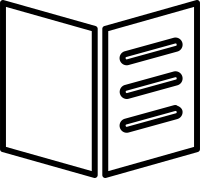
This is a simple line art icon of a booklet opened left and right, with lines drawn only on the right page. This design symbolizes the blank left page as a “space for thought (input)” and the lined right page as a “organized record (output).” Distinct from a simple reading icon, it is suitable for expressing active intellectual production activities such as learning, research, and brainstorming. The unobtrusive line art is a free stock material that blends naturally into the UI of educational services and business tools.
Specific Usage Scenes and Suggestions
This open notebook icon can be utilized in a wide range of fields such as education, business, and creative work. Below are 10 specific usage scenes and detailed utilization tips for each.
- For “Textbook / Material” links in online learning services and e-learning
As a link button to downloadable textbooks or supplementary materials (such as PDFs) on the course viewing screen. The book icon intuitively conveys that it is something to “read.” The presence of lines on the right side can also be expected to encourage a learning attitude of “learning while taking notes,” not just reading. - For “Homework / Assignment Submission” buttons at schools and cram schools
As an icon for the upload screen when students submit homework online. It functions as a metaphor that reproduces the analog act of “writing in a notebook and submitting it” digitally, giving students a sense of familiarity. - For “Minutes / Memo Creation” functions in business chat and groupware
As an icon to launch tools for quickly taking notes during meetings or editors for creating minutes. The lined page suggests a “organized record,” making it suitable for documentation creation in business scenes. - For “Frequently Asked Questions (FAQ)” and “Terms of Service / Manuals” on websites
As an icon indicating “manuals” or “rulebooks” with detailed explanations on the service’s help page. The image of an open thick book gives users a sense of trust that reliable information is covered there. - For “Summary / Point” sections in blog articles and owned media
As a decorative icon when setting up a “summary” frame organizing key points at the end of a long article. Like summarizing with headings in a notebook, it visually indicates that this section presents information in a structured manner. - For “Write a Review” buttons on reading record apps and review sites
As an icon leading to the screen for posting impressions or reviews of books read. It can be likened to a contrast structure where the left blank is the “book read” and the right line is the “place to write your own impressions,” encouraging users to output. - As an “Idea Book / Sketchbook” icon for creators
As a “New” button to start a new project in design tools or memo apps. The blank left page symbolizes a free canvas (possibility) where nothing has been written yet, stimulating the desire to create. - For “Recipe Notes / My Notebook” functions on cooking recipe sites
As an icon for the “My Notebook” function where you can write down your own arrangements and tips for your favorite recipes. It evokes a practical usage scene like spreading out a notebook in the kitchen. - For guiding “Free Text Fields” in survey forms and input screens
As an icon to accompany text areas where users can freely describe their opinions, rather than multiple-choice questions. The presence of lines creates an affordance (action induction) saying “Please write sentences here,” contributing to the improvement of the input rate. - For links to “Collection Search / Library” of educational institutions and libraries
As a link icon to the library or archive placed in the header or footer of the website. Simple line art gives an intellectual impression and matches academic-style site designs.
Editing Tips and Advantages of EPS Format
Completely free for both commercial and personal use. In addition to PNG and SVG formats ready for immediate use in Web design, we also provide EPS (vector) data where you can freely edit the presence of lines and the touch of the lines.
By utilizing the EPS format (vector data), you can freely arrange the design according to the application. Using software like Adobe Illustrator, if you delete the lines on the right page, it becomes an image of a “completely blank open notebook” or an “art book.” Conversely, if you add lines to the left page as well, it becomes an image of a “study notebook” or “college notebook.”
Also, the range of customization is infinite, such as adding words like “Memo” or “Diary” to the cover part, or changing the line color to the site’s theme color.
Related Keywords
Notebook, Book, Open book, Study, Learning, Memo, Record, Reading, Manual, Minutes, Line art, Education, Icon, Free material, Free
This Open Notebook / Book (Lined Right Page / Line Art) icon is free to use. Commercial use allowed; no attribution or registration required. Please be sure to check the Terms of Use before using.
Sister Site: Check out our Free Hand-Drawn Illustrations as well.