Sponsored Link
(PNG)
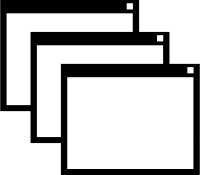
Representing multiple tasks and information, “Stacked Windows” Free Material
Illustration icon depicting state where three windows of application or Web browser are overlapping slightly shifted on PC desktop. While single window represents “Single task,” these multiple windows visually convey state of more complex and advanced digital work such as “Multitasking (Parallel work)” “Multiple information sources” “Tab browsing.” Free material available for commercial use, downloadable in PNG and SVG formats.
Specific Usage Scenes and Suggestions
This icon is searched and used in various digital scenes wanting to express efficiency of PC work and diversity of information. Material responding to wide range of needs from Web directors to software developers.
- For Function Introduction of Software / App
As an icon appealing functions capable of handling multiple screens simultaneously such as “Multi-window support” “Multiple tab function” “Simultaneous editing mode.” Intuitively conveys goodness of work efficiency. - For UI Design of Web Browser and OS
As a symbol of “Tab list display” button of browser or “Task view (List of open apps)” button of OS. Also usable as indicator showing how many screens are currently open. - For Expression of Comparison / History / Archive
As guidance of “Product comparison tool” or button displaying “History” of work. Matches image overlapping and comparing past screens or different information. - For Guidance of Popup and Dialog
As illustration indicating appearance of “Popup window” or “Setting dialog” where another small screen opens on main screen. - As Symbol of Desktop Environment and PC Work
As generic icon indicating work environment on PC not mobile, such as “To PC version site” “Launch desktop app.”
Editing Tips and Benefits of SVG Format
Free materials distributed on this site are also provided in vector format (SVG file) that does not deteriorate.
This window icon enables more concrete expression by using SVG editing software (Illustrator, etc.). For example, various situations can be expressed by changing contents and stacking order of windows, such as drawing “Graph” in top window for data analysis tool, making bottom window “Translucent” for past history. Also, changing border color of window to distinguish active screen and inactive screen is effective.
Related Keywords
Window, Screen, Browser, Multiple, Multitask, Tab, Stack, Comparison, History, Desktop, App, Software, UI, Icon
This Stacked Windows (Multitask / Tabs) icon is free to use. Commercial use allowed; no attribution or registration required. Please be sure to check the Terms of Use before using.
Sister Site: Check out our Free Hand-Drawn Illustrations as well.

















































