Speaker / Low Volume (Quiet / Minimum Level) Free Icons | Vector Assets
Sponsored Link
(PNG)
A Modest Signal That Doesn’t Disturb the Silence. “Low Volume” Free Material
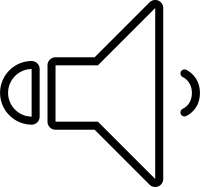
A design expressing a state where a faint sound is playing by reducing the sound waves (curves) coming out of the speaker to the absolute minimum of “one.” This symbolizes a considerate state of “sound is coming out, but it will not be a nuisance to the surroundings.” It plays a role in providing peace of mind to users as an icon indicating guidance in places requiring silence, like libraries or inside trains, or “gentle BGM for the ears” during relaxation time before bed.
Specific Usage Scenes and Suggested Applications
This material is active in scenes that value “quietness,” from posters promoting good manners to the UI of relaxation apps.
- For “Manner Promotion” Posters on Public Transportation and in Libraries
As an icon for notices calling out “Please be careful of sound leakage” or “Please set ringtones to minimum” inside trains and buses, or in library reading rooms. Rather than forcing a mute (silence), it is effective when gently prompting consideration for manners, saying “Let’s enjoy it at a volume that only you can hear.” - For “Volume Recommended” Displays on Sleep Apps and ASMR Videos
When guiding users that “Listening at a low volume is recommended” in apps promoting sleep or ASMR (auditory stimulation) videos. In content where listening at high volume is counterproductive, this single-line icon becomes a metaphor for “Whisper” or “Environmental sound,” guiding the user to a relaxed state. - For “Notification Sound Setting” UIs on Websites and Apps
As a button to select modes like “Modest notification sound” or “Vibration + Low volume” on the setting screens of messaging apps or email software. It visually conveys that it is an inconspicuous notification level that will not be a disturbance even during work or meetings. - As a “System Volume” Indicator for PCs and Smartphones
As an icon placed at the left end of a volume slider (near 0). It shows that tapping here will set it to the “minimum volume” just before the sound disappears. It is also used as a speaker icon in a restricted function state during “power saving mode” when battery is low. - For “Footsteps / Noises” UIs in Horror Games and Stealth Games
On the game screen, as an indicator informing the player of a state of moving with “stealthy steps” so as not to be found by the enemy, or that a faint noise was heard in the distance. It is useful for producing a tense and quiet scene.
Editing Tips and the Merits of the EPS Format
Completely free for both commercial and personal use. In addition to highly versatile PNG and SVG data, it also comes complete with EPS (vector) format that allows fine-tuning of sound waves and color changes.
By utilizing the EPS format (vector data), you can adjust the expression of “quietness” more delicately. Using software like Adobe Illustrator, you can produce an even more airy lightness by changing the color of the sound wave line to a pale color like “light gray” or “pastel blue.”
If you delete even this “single sound wave,” it is also possible to use it as the base for the “Mute (Silence)” icon to be introduced next.
Related Keywords
Speaker, Low volume, Minimum volume, Quiet, Whisper, Manner, Library, Night mode, ASMR, Notification sound, UI, Icon, Speaker, Low volume, Quiet sound, Whisper, Minimum level
This Speaker / Low Volume (Quiet / Minimum Level) icon is free to use. Commercial use allowed; no attribution or registration required. Please be sure to check the Terms of Use before using.
Sister Site: Check out our Free Hand-Drawn Illustrations as well.

















































