Sponsored Link
(PNG)
The Symbol of the Act of “Buying,” “Shopping Basket” Free Material
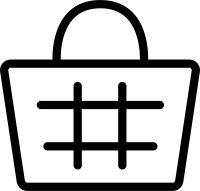
This is an icon depicting a mesh plastic basket with handles, commonly seen in supermarkets, convenience stores, and drugstores. It represents the state of “currently shopping” from the moment a customer picks up a product until they head to the cash register. On EC sites, it is the most widely used symbol of purchasing behavior, alongside the cart (trolley) type, as an icon for the “Add to Cart” button.
Specific Usage Scenes and Suggested Applications
This icon can be utilized in any scene that boosts the customer’s “desire to purchase,” from conversion buttons on the web to guidance POPs in physical stores.
- For the “Add to Cart” Button on EC Sites and Online Supermarkets: It is ideal as an icon for the “Add to Cart” button, which is the first step of the purchase procedure on a product detail page. Compared to a text-only button, having a basket icon allows users to intuitively imagine the action of “accumulating products here,” improving the usability of the user interface (UI). It has also become a standard feature to place it in the header section to display the “number of items currently in the cart” with a badge.
- For Guidance on “My Basket & Eco-Activities” in Physical Stores: As an icon for campaigns recommending “bringing your own basket” to reduce plastic shopping bags on store posters and websites of supermarkets. It is also useful for hygiene management notices appealing that “baskets have been sanitized” or as illustrations for user guides for self-checkouts (like Regi-Go) where you can “pay while items are still in the basket.”
- For Appealing “Bulk Buying & Sales” on Flyers and Banners: On special sale flyers or web banners for sales, using an image of a basket overflowing with products (*processing recommended in EPS) visually conveys messages like “Great value even if you buy a lot” or “Chance for bulk buying.” It’s a design that’s also easy to use as a heading icon for “This week’s bargain list.”
- For Articles Addressing “Cart Abandonment” in Marketing Terminology: As an image when explaining “Cart Abandonment” (where users leave with items still in their cart) in blogs or seminar materials for EC operators. By using the basket icon, even technical marketing topics can be illustrated in an easy-to-understand manner.
- For “In-Store Maps” at Drugstores and Home Centers: As a sign indicating the location of the “Basket Area” on floor maps of large stores. By informing customers that baskets are placed not only near the entrance but throughout the store, it becomes easier for customers to pick up products, leading to an increase in the average customer spend.
Editing Tips and the Merits of the EPS Format
The distribution files include PNG and SVG formats convenient for web production, as well as the EPS format of vector data suitable for DTP design and advanced editing.
Using the EPS format (vector data), you can freely change the color of the basket to match the store’s brand colors. For example, “red” or “yellow” for a supermarket, “blue” or “light blue” for a drugstore, or “green” or “beige” for an organic store. By matching the color of actual baskets, the design becomes more relatable.
Furthermore, arrangements are possible, such as compositing illustrations of “vegetables” or “daily necessities” into an “empty” basket to make it “currently shopping,” or transforming the handles to be folded down. You can finely adjust the mesh of the basket to make it realistic, or conversely reduce the lines to make it simple like a logo mark, freely processing it to suit your needs.
Related Keywords
Shopping basket, Supermarket, Cart, My basket, Eco bag, Purchase, Mail order, EC, Drugstore, Retail, Icon, Shopping basket, Supermarket, Retail, Buy
This Shopping Basket (Supermarket / Basket) icon is free to use. Commercial use allowed; no attribution or registration required. Please be sure to check the Terms of Use before using.
Sister Site: Check out our Free Hand-Drawn Illustrations as well.