Sponsored Link
(PNG)
Designing Dialogue Across the Screen, “Web Meeting” Free Material
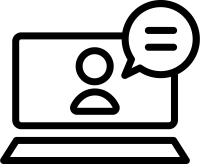
A design where a person icon is displayed on the open laptop display, and a speech bubble extends from it. It directly expresses the situation where “there is a partner on the other side of the screen” and “having a conversation through a PC,” and has become established as a visual symbolizing online meetings using Zoom, Teams, Google Meet, etc., and communication with remote locations.
Specific Usage Scenes and Suggested Applications
This icon is active in all situations where non-face-to-face communication occurs, from internal operational efficiency tools to online service guidance for customers.
- For “Application Buttons” for Online Consultation and Web Customer Service
Ideal as an icon for the “Book an Online Consultation” button on websites for housing, insurance, wedding venues, etc. Rather than just a PC icon, having a human figure and speech bubble conveys the message that “you can speak directly with the person in charge” and “it is safe because you can see their face,” giving users a sense of security similar to face-to-face sales. - For Introducing “Speakers” at Webinars and Online Seminars
As an image of a lecturer giving a presentation across the screen on a seminar announcement page. Putting text like “LIVE” or “ON AIR” inside the speech bubble is also an effective way to emphasize that it is real-time streaming, not a recording. - For “Business Manuals” on Remote Work and Telework
As an illustration explaining “How to join a meeting” or “Microphone/Camera settings” in telecommuting guidelines or usage manuals for web conferencing tools. By making the person inside the screen a silhouette, it can represent a general “participant” without identifying a specific individual. - For the “Lesson” Image of Online English Conversation and Tutors
As a visual appealing the benefit of “receiving one-on-one instruction while staying at home” on the website of an educational service. If you arrange it to a person wearing a headset (*processing recommended in EPS), it enhances the atmosphere of a call center or language lesson. - For “Web Interview” Guidance in Job Interviews
As an icon informing that the first interview will be conducted online on job sites and recruitment pages. By placing it alongside the message “Applications from distant locations are also welcome,” it has the effect of lowering the hurdle to apply.
Editing Tips and the Merits of the EPS Format
The distribution files include PNG and SVG formats convenient for web production, as well as the EPS format of vector data suitable for DTP design and advanced editing.
By utilizing the EPS format (vector data), you can freely customize the “person” inside the screen. Using software like Adobe Illustrator, you can redraw the person’s silhouette to have “female” or “male” characteristics, or change it to the company’s uniform color, making it an icon that more closely matches the reality of the service.
The contents of the speech bubble can also be arranged. You can finely express the atmosphere and situation of the meeting with a single symbol, such as inserting “…” to show a state of listening, inserting “?” to show a state of asking questions, or inserting “♪” to show a state of happily conversing. It would also be interesting to put a logo on the back (top plate) of the PC to make it look like a company-issued PC.
Related Keywords
Laptop, PC, Online meeting, Web meeting, Remote work, Telework, Webinar, Video call, Online customer service, Speech bubble, Conversation, Person, Upper body, Icon, Online meeting, Video call, Webinar, Remote work, Laptop
This Laptop and Online Meeting icon is free to use. Commercial use allowed; no attribution or registration required. Please be sure to check the Terms of Use before using.
Sister Site: Check out our Free Hand-Drawn Illustrations as well.