Sponsored Link
(PNG)
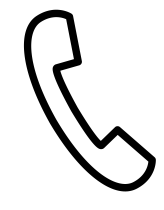
A Minimalist “Handset” Line Art Material Symbolizing Call Functions
This is an extremely simple line art icon that extracts only the “handset” part placed against the ear and mouth, without drawing the main body of the phone. Because it has no fills, it doesn’t clash with the background color and blends naturally into any design. As a symbol that directly conveys the actions of “making a call” or “listening to someone speak,” it is a powerful icon that intuitively evokes “voice calls,” even in the modern era dominated by smartphones.
Specific Usage Scenes and Suggested Applications
This line art icon assists “voice connections” in all media, from website UIs to contact displays in printed materials.
- Next to the “Phone Number” in the Header/Footer of a Website
It is ideal as an icon placed next to a phone number on corporate or store websites. As smartphone (slab-like device) icons increase, deliberately adopting this classic handset shape allows you to appeal to the company’s reliability and warm support system, saying, “A representative will speak with you directly.” Because it is line art, it doesn’t assert itself too much even when lined up with logos or other navigation menus, and you can pinpoint and enhance visibility as a contact point without destroying the tone and manner of the entire site. - For the “Phone Desk” Button on Inquiry Pages
It can be used as an icon for a CTA (Call to Action) button saying “Click here for telephone inquiries.” By contrasting it with an email form icon (envelope), you can clearly present options suited to the user’s situation, such as “Use the phone for urgent matters” or “Use the phone if you are not good at writing.” Especially for services targeting seniors, this familiar handset shape is more easily recognized as “a telephone” than a smartphone icon, and can be expected to have the effect of getting them to move on to the inquiry action without hesitation. - For “Call Action” UIs in Apps and Tools
It can be utilized as an icon for action buttons like “Make a call” or “Answer a call” in calling apps or web services that have a calling function with an operator. The state where the handset is lying down is “Standby” or “End call,” and a state where it is lifted at a slight angle (*editing required) is “Call in progress” or “Calling”; just by slightly changing the angle at which it is placed, it functions as part of an interface that intuitively communicates the phone’s status to the user. - In the “Contact Information” Section of Business Cards and Shop Cards
As a mark indicating a phone number on business cards and shop cards where information needs to be conveyed in a limited space. Line art illustrations do not have solid ink fills, resulting in a clean and neat design. Furthermore, even when special printing methods like letterpress are used, line art tends to express edges beautifully, playing a part in creating a high-quality and classic atmosphere. It is also ideal for the cards of brands that prefer minimalist designs. - For “Image Cuts” in Call Center / Support Operations
As an illustration when introducing telephone handling operations or customer support departments on recruitment sites or company brochures. By combining this handset icon with text like “We strive to respond politely” without using photos of people, you can convey the job content abstractly and smartly. By placing multiple icons side-by-side, you can also express the image of a large-scale call center with many operators waiting.
Editing Tips and the Merits of the EPS Format
Completely free for both commercial and personal use. In addition to PNG and SVG that can be used immediately on the web, we also provide EPS data that allows you to freely edit line thickness and color as a set.
By utilizing the EPS format (vector data), delicate arrangements unique to line art are possible. Using software like Adobe Illustrator, you can create a unified design by changing the line color to your brand color. You can also adjust it to match the atmosphere of the medium, making the lines thinner for a sophisticated impression or thicker for a pop and friendly impression.
This Landline Handset (Line Art) icon is free to use. Commercial use allowed; no attribution or registration required. Please be sure to check the Terms of Use before using.
Sister Site: Check out our Free Hand-Drawn Illustrations as well.